
Preventing Repetitive Strain While Working From a Home Office
The shift toward remote work has brought flexibility and convenience for many, but it has also led to a rise in musculoskeletal discomfort and repetitive strain injuries.
Long hours at a laptop or workstation that isn’t optimized for your body can contribute to pain in the neck, shoulders, wrists, and back. At Katherine Jackson Occupational Therapy, PLLC, in Evanston, IL, we help individuals improve their functional wellness and prevent injury by addressing body mechanics and ergonomic strategies.
Because we recognize that not everyone has space in the home for an ergonomically designed office (myself included!) the following post discusses general principles for work set up as you consider your space for work stations in your home.
Below are key considerations for setting up a safe, supportive work-from-home environment:
Body Positioning Matters
How you sit and hold your body for extended periods impacts your muscles and joints. Aim for these basics:
- Feet flat on the floor (or supported on a footrest if needed) Uncross those legs and position your weight on your feet evenly distributed between both feet. Evenly distribute foot pressure though the base of the big toe, base of the little toe and the heel. This is called the “foot triangle.”
- Knees at or just below hip level to reduce strain on the lower back. Avoid resting one leg on the chair or sitting in criss-cross-applesauce positioning.
- Back supported with your chair’s backrest, or add a cushion for lumbar support. Better yet, periodically scan your body and slightly draw your navel towards your spine to engage your core when doing seated work. Your shoulders should stack over your hips and your ribcage should stack over your pelvis.
- Shoulders relaxed and elbows bent close to 90 degrees, resting lightly at your sides. Avoid forward reaching when typing or using your mouse.
- Screen at eye level to avoid bending your neck down or craning upward. If you wear progressive lenses for eye correction, a dedicated pair of short-distance computer glasses makes a big difference in neck positioning.
The Power of Microbreaks
Even with great posture, the body is not meant to stay in one position for hours. Small, frequent breaks help reduce repetitive strain:
- Every 20-30 minutes, stand, stretch, or walk around. You don’t need to leave your work for more than a minute or two. Microbreaks are shown to increase productivity by resetting your nervous system for alertness and focus.
- Easy ways to incorporate a “micro-break:” Perform gentle neck rolls, shoulder shrugs, and wrist stretches at your desk.
- Shift your sitting position throughout the day to encourage circulation and reduce stiffness. Consider sit-stand desks and ergonomic seating. Some people like sitting on a swiss ball-adapted chair, but this would be used for brief intervals, as your muscles need time to relax.
Adaptive Equipment for Laptop Users
Many remote workers rely on laptops, but they can place strain on the neck and wrists when used long-term. I have said that laptops keep me in business because it is not possible to properly position your arms and neck when using a laptop. They are designed for portable, occasional use. When a laptop is your primary work tool, it is important to have proper alignment. Consider these upgrades:
- External monitor positioned at eye level reduces neck flexion. Avoid corner monitor placement due to the one-sided head turning required. Symmetry is best. Find a point across the room at eye level and align your head as if someone is pulling you with a string through the crown of the head. From this position, can you view your monitor? If you cannot, you need it to be elevated.
- External keyboard and mouse keep wrists in a neutral position, prevents forward reaching and excessive wrist/finger motion required of track pad use. When precision work with a mouse is a job function, some people prefer using a stylus with a graphics tablet. Variety of devices can help divide the workload across different muscle groups.
- Laptop stands are a solution for raising the screen to the proper height when an external monitor is not available.
Advanced Adaptations and Assistive Tools
For individuals experiencing persistent discomfort, or anyone wanting to prevent strain, specialized equipment can make a big difference:
- Voice-activated software (such as speech-to-text) can reduce repetitive typing.
- Vertical mouse encourages a handshake position, which decreases wrist rotation and relieves pressure on the forearm.
- Soft-touch or ergonomic keyboards require less force when typing and promote a more natural hand position.
- Document holders positioned between monitor and keyboard reduce repeated neck movement.
- Anti-fatigue mats are useful if you use a standing desk while working. These reduce strain on the legs and lower back. And don’t forget the postural corrections: foot triangle, head upright and stacking shoulders over hips and ribs over pelvis.
At-Your-Desk Stretches
Gentle movement throughout the day prevents stiffness and promotes circulation. Try these simple stretches during your microbreaks:
- Neck Stretch: Sit tall and gently tilt your head to one side, bringing your ear toward your shoulder. Hold 15–20 seconds per side.
- Shoulder Rolls: Roll your shoulders up, back, and down in a slow circular motion 5–10 times, clockwise. Repeat,counter-clockwise.
- Chest Opener: Clasp your hands behind your back (or hold onto your chair), gently squeeze your shoulder blades together, and lift your chest upward. Inhale deeply and pause, then exhale and relax.
- Wrist Flex/Extend Stretch: With one arm extended, tilt your wrist back with the fingers open, then gently close the fingers and bend the wrist forward. Hold 15 seconds in each position or perform 10-15 flowing movements between the two positions.
- Seated Spinal Twist: Place your right hand on the back of your chair and gently rotate your torso to the right, lengthening your spine. Hold 15 seconds, then switch sides.
- Ankle Circles: Lift one foot slightly off the floor and roll the ankle in circles, 5 times in each direction. Repeat with the other foot.
These can be done in just a few minutes and help reset your posture and energy.
Setting Up Your Workspace
Your environment plays a major role in supporting comfort and productivity.
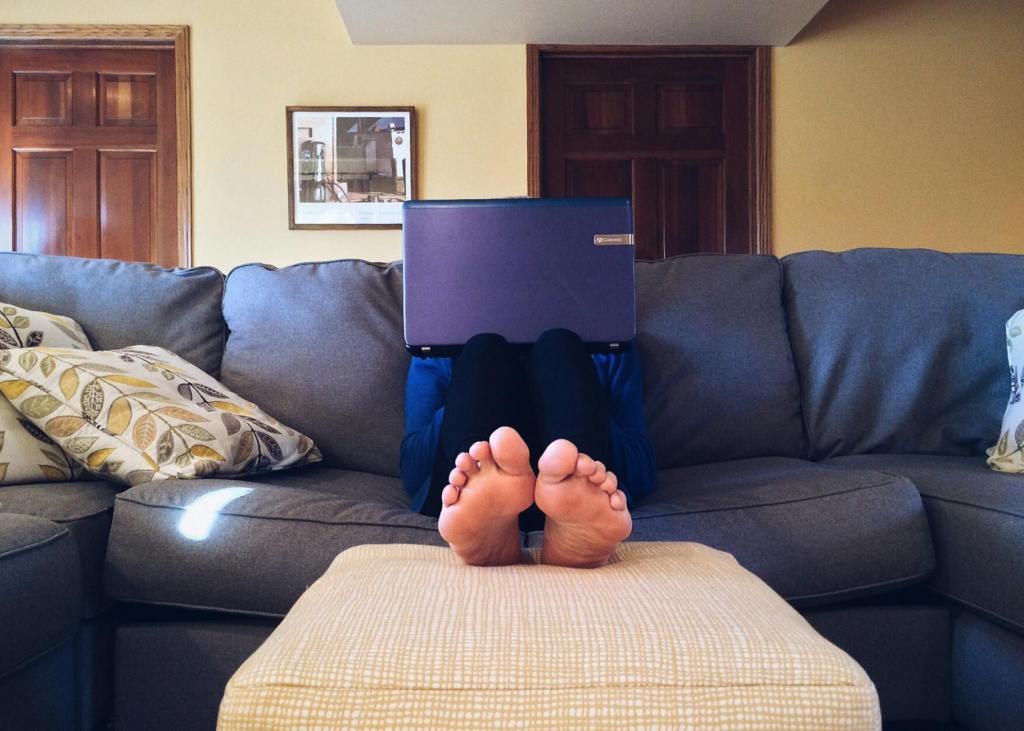
- Choose a stable chair and desk—working from the couch or bed should be the exception, not the rule.
- Arrange tools and frequently used items within arm’s reach to avoid repetitive twisting or overreaching.
- Ensure good lighting to prevent eye strain and forward head posture.
- Minimize clutter to keep your workspace functional and inviting.
Takeaway
Working from home doesn’t have to mean living with pain or discomfort. Small changes in posture, regular microbreaks, and the right equipment, whether basic ergonomic adjustments or advanced adaptations, can significantly reduce the risk of repetitive strain injuries. Adding quick stretches throughout the day will further support long-term comfort and function.
If you’d like guidance on optimizing your home office or managing pain from repetitive strain, Katherine Jackson Occupational Therapy, PLLC in Evanston, IL can help. We specialize in empowering individuals to stay strong, functional, and confident in their daily activities.
Small Adjustments, Big Relief
If you need an Occupational Therapy consultation for issues with your workstation or have pain when working, click the link to reach the website to make an inquiry.
 Flourish Recovery & Wellness